When trying to determine whether a plant is native to Canada, the Database of Vascular Plants of Canada (VASCAN) is the best source of research-based information.
VASCAN is a part of Canadensys, a database of information host by the Université de Montréal Biodiversity Centre. Canadensys aims to make Canadian biodiversity information accessible to everyone. More about Canadensys can be read here.
How to use VASCAN
VASCAN is fairly simple to use once you know how.
- Visit VASCAN‘s search bar.
- Type in the plant you are looking for, you can use common names or even just a part of a name.
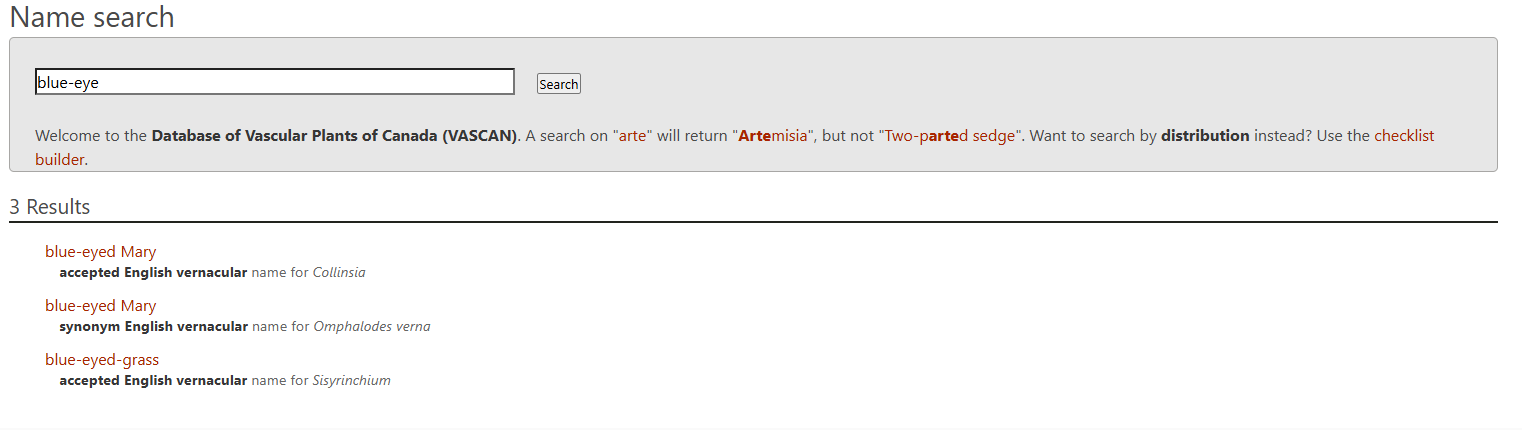
- In our example we are looking for blue-eyed-grass so we searched for “blue-eye”. We can see the blue-eyed-grass (Sisyrinchium linnaeus) shows up as an option. Click on the plant you are looking for.
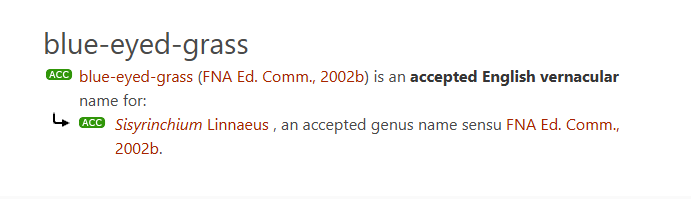
- Another menu will appear with the Latin names that fall under the common name. The reason for this is because many different plants will often use the same common name in different regions. Click on the desired plant’s Latin name.
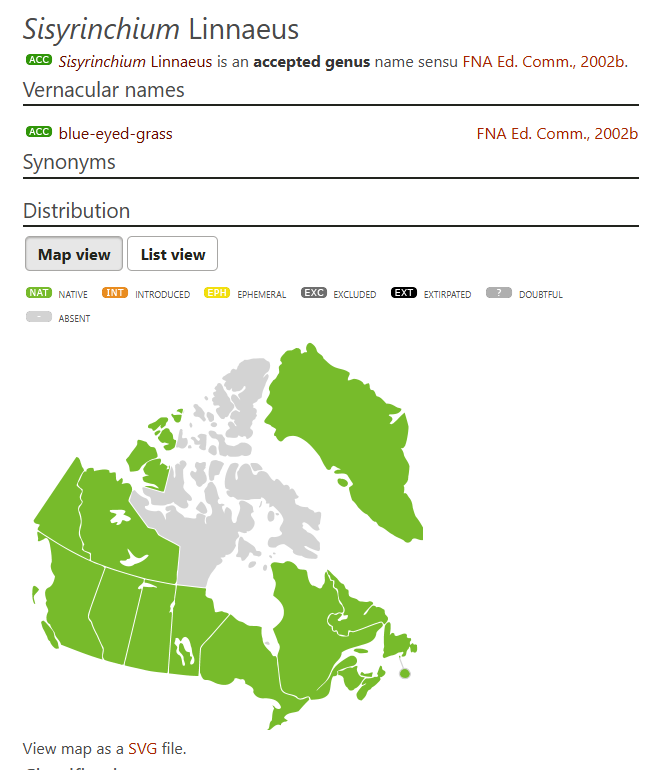
- Now you will see the results for where the plant you are looking for is native to in Canada, and sometimes it will show Greenland as well if it is relevant. If the plant is native to Canada, the province(s) where it is native will be coloured green.
Now you are able to easily check which of your plants are native or not!
 Maitland Area Pollinator Projects
Leave a comment